People can bet on any event on PolyMarket, one of the most popular prediction markets. In 2026, PolyMarkets is the most popular site for making predictions. People can bet on anything, from wars to what the president will say. People think of their site more as a trading site than a betting site, even though they don’t call it that.
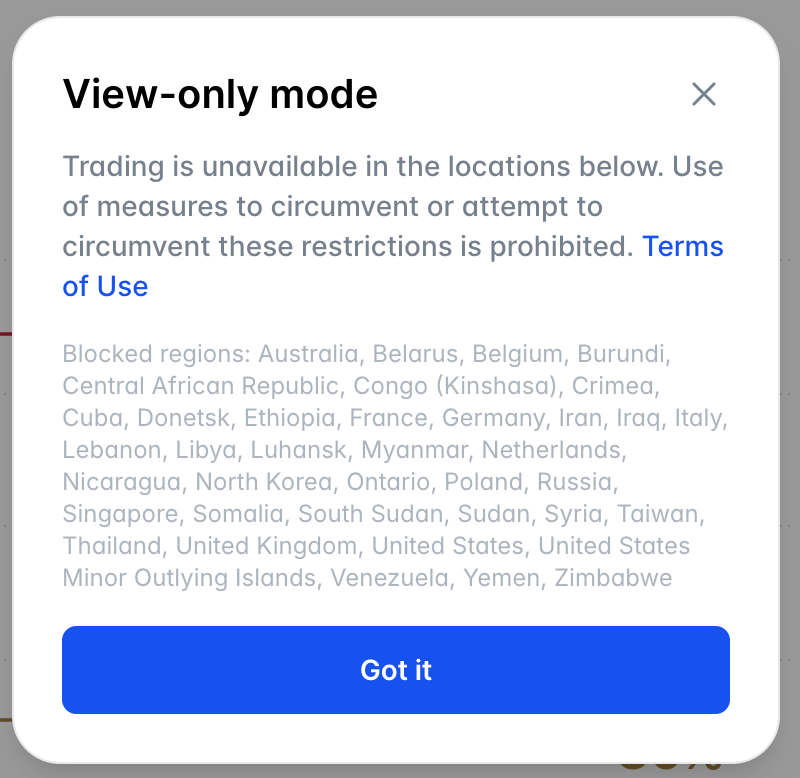
PolyMarket is not available in the UK or other countries, but our team has tested it with the best VPN, so you can access it without being in view-only mode, which only shows what’s going on and doesn’t let you trade.
To use PolyMarket in the UK, you have to connect to a supported country with a VPN, create your account, deposit crypto, and you’ll be able to trade instead of being stuck in view‑only mode.
Steps on How to Use PolyMarket in the UK
Here are the steps to follow to access PolyMarket in the UK:
- Install and Set Up Surfshark
- Connect to a Supported Country
- Open PolyMarket Website
- Create Your Account
- Deposit Crypto
- Start Playing
Step 1 – Install and Set Up Surfshark
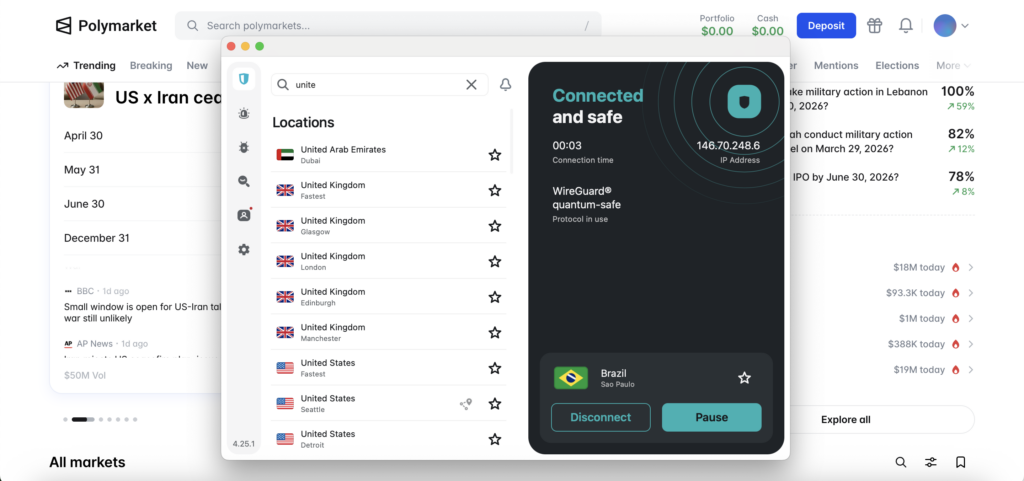
First, you need a good VPN. Surfshark is usually the best choice because it is so easy to use. You can download the app for your phone or computer from their website. You can use it with almost anything, so just install it and sign in like you would with any other app.
The trick is to change your connection to a country where Polymarket isn’t blocked, like Brazil or Argentina, after you log in. When the connection goes live, your IP address changes to that place, and you’re ready for the next step.
Step 2 – Connect to a Supported Country
Simply open Surfshark and pick a country that lets you use Polymarket to its fullest. I usually tell people to go to Brazil or Argentina because they don’t have that annoying “view-only” mode.
Just hit “connect,” and wait a second for it to confirm you’re done. When it says you’re live, it will appear as if you’re browsing from that country. This is the “green light” you need to use Polymarket without any problems.
Step 3 – Open the Polymarket Website
Your VPN is now working, so just open your browser and go to Polymarket. If the connection is good, the site should load without the annoying “view-only” banner.
Quickly check the homepage to make sure you can actually click the markets and that they aren’t locked. If things still look a little locked, don’t worry. Just go back to Surfshark, switch between Argentina and Brazil, and refresh the page until everything is unlocked.
Step 4 – Create Your Account
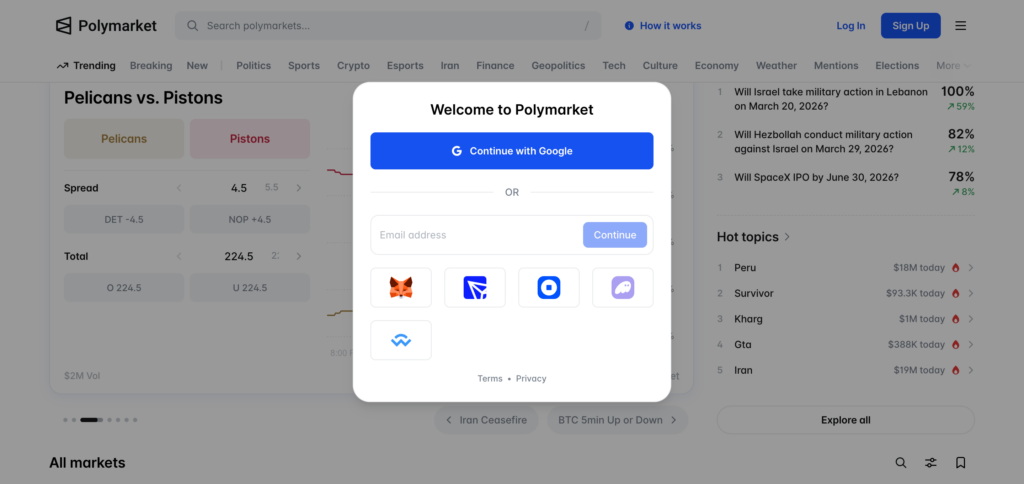
Once you’re on the site, just click the sign-up or connect button to get started. Polymarket doesn’t really use passwords and email addresses. Instead, you’ll just connect a crypto wallet, which is how you’ll trade and get your money later.
If you don’t already have a wallet, it’s easy to set one up like MetaMask. You can get the app from the App Store if you’re on your phone. You can get it as a Chrome extension if you’re on your computer. After you’ve installed and linked it, just click through the prompts to make sure everything is correct. Your account is almost ready to use. After that, you can add some money and start trading.
Step 5 – Deposit Crypto
Before you can start trading, you need to put some crypto in your wallet. You need to have USDC (a stablecoin) and be connected to the Polygon network in order to place any bets on Polymarket. Don’t worry if you don’t have any crypto yet. You can buy some on an exchange like Coinbase or Binance and then send them to your MetaMask address.
Check that the money is on the Polygon network once it arrives, so the site can see it. After that, go back to Polymarket and click on “connect.” You should see your balance right away. You can now look through the markets and make your guesses.
Step 6 – Start Trading
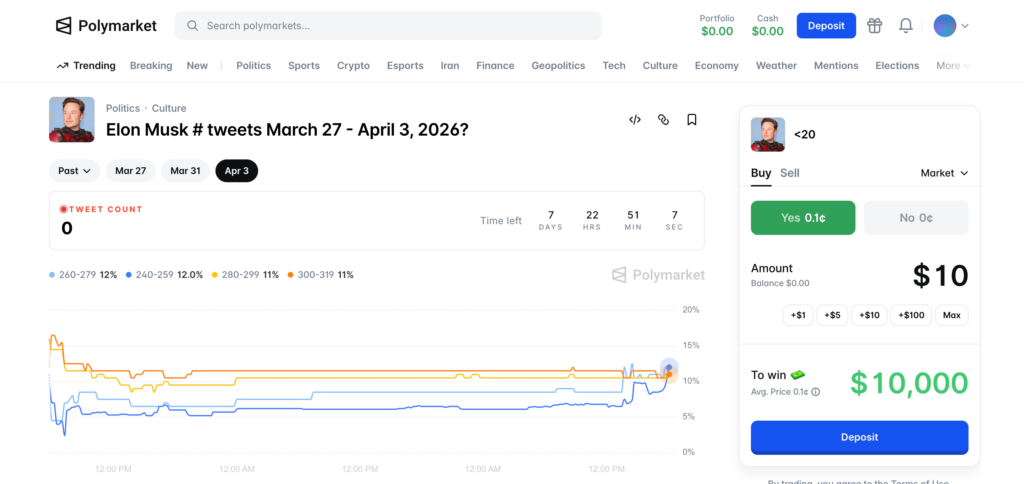
Now that you have money in your wallet, go back to Polymarket and start looking around. You can take part in all kinds of events, from politics and world news to the newest fashions. Just click on a market that interests you, pick a side, and type in how much you want to trade.
Before you start, take a look at how the odds affect the prices. I would say to start small so you can learn how everything works before you really start to grow. Once you’re in, you can see where you are in real time and cash out whenever you want.
Why Trust Us
There are several steps our team takes to ensure the casinos reviewed on our website are trustworthy. We check reviews on crypto and gambling forums, as well as on Reddit, to see whether the casino pays out to its players or just blatantly scams them.
We also check Trustpilot to see what the major complaints are from users, and we rank casinos with good reviews and first-hand experience. We deposit money into casinos to check whether they are legitimate.
We make withdrawals and play the games to see if there are any lags or irregularities that indicate the casino is a scam.